1.13. Sharing and Security
Contents
| download: | pdf |
|---|
The JobServer is designed to facilitate data exchange between the user interface and the TaskServer; it also allows you to get quick access to monitor the progress of your computations, even if you are away from the originating machine. You can equally share results and models with your coworkers.
The JobServer offers both insecure (http) and secure (https) communication. The latter requires you to install a proper SSL security certificate on JobServer and or TaskServer. There is a placeholder certificate included, which works to show functionality, but does not offer any security.
In addition to securing the communication, the JobServer can require usernames and password, and restricts each user to see and control his or her jobs.
If security reasons require you to keep results confidential, there are certain things to keep in mind when installing MedeA, including to limit access to the machines involved in generating and executing your calculations and secure the communication between those machines and require usernames.
Please keep in mind that if you forget the password to access the JobServer you wouldn’t be able to access your results and calculations. In this case, you would need to back up the Jobs directory and MDJobs.db and reinstall JobServer.
1.13.1. Secure JobServer with https and Username/Password Authentication
The following section is for IT administrators and persons with a solid understanding of securing webserver.
Before securing the JobServer, make sure that the installation works for more than one user and the queuing system integration is completed, which means each user needs at least on separate TaskServer. You can use the MDMaintenance program to set up multiple TaskServers from a shared directory and run as different user instances. Once this is sufficiently tested, you can continue to secure the MedeA Environment with the following steps:
- Obtain a valid SSL certificate and save on the JobServer as MD/2.0/JobServer/certificates/JobServer.pem and on each TaskServer as MD/2.0/TaskServer/certificates/TaskServer.pem folder. Each .pem file must contain a private key and a SSL certificate.
- Add usernames to JobServer
- Add usernames to TaskServer
- Turn on username/password authentication on JobServer
- Restart JobServer
- Turn on username/password authentication on TaskServer
- Restart TaskServer
- Edit List of TaskServer and switch address from http to https.
- In MedeA GUI change address of JobServer from http to https. The list of JobServer is found at File >> Preferences … in the JobServer tab
1.13.1.1. JobServer: Users Administration to Define Authorized Users
Navigate to the User page of the JobServer (http://localhost:32000/ServerAdmin/users.tml).
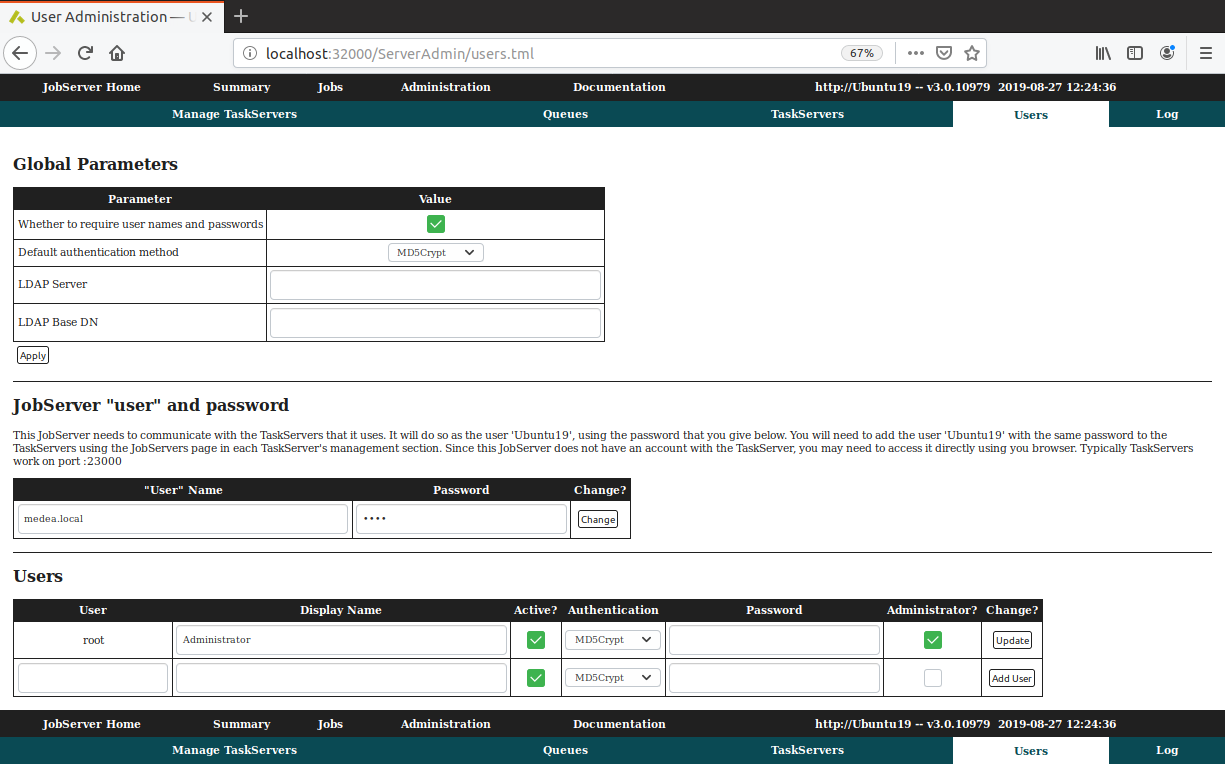
The first section defines whether and how to require user names and passwords.
The authentication can be done via md5crypt, apachecrypt, or LDAP.
When requiring usernames, you must provide a shared entity to communicate between JobServer and TaskServers, that is the “JobServer” “user”.
In the Users sections, you can add the users allowed to work on this JobServer; if not provided by LDAP, the usernames and passwords must be entered here.
1.13.1.1.1. TaskServer: Users Administration to Define Authorized Users
Continue with defining users on the TaskServers. Navigate to the User page of the TaskServer (http://localhost:23000/ServerAdmin/users.tml).
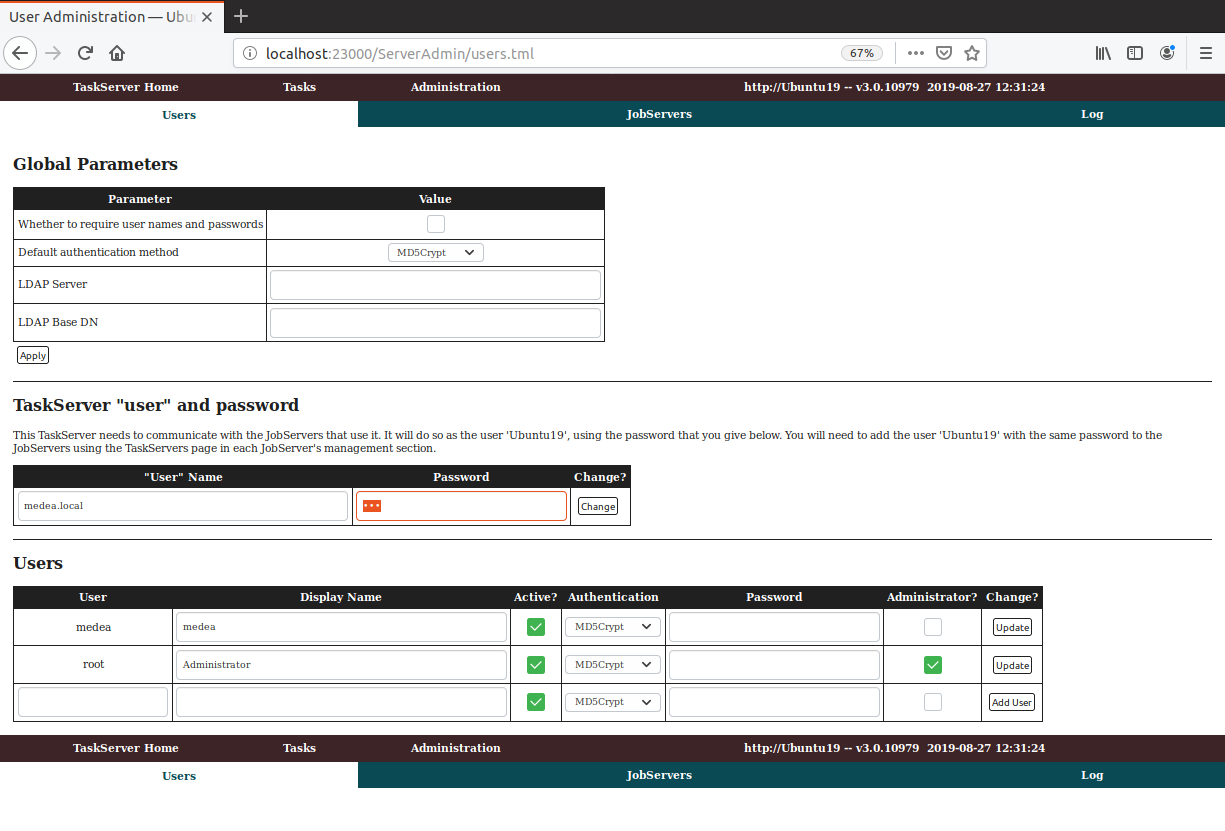
The first section defines whether and how to require user names and passwords.
The authentication can be done via md5crypt, apachecrypt, or LDAP.
When requiring usernames, you must provide a shared entity to communicate between JobServer and TaskServers, that is the “JobServer” “user”.
In the Users sections, you can add the users allowed to work on this JobServer; if not provided by LDAP, the usernames and passwords must be entered here;
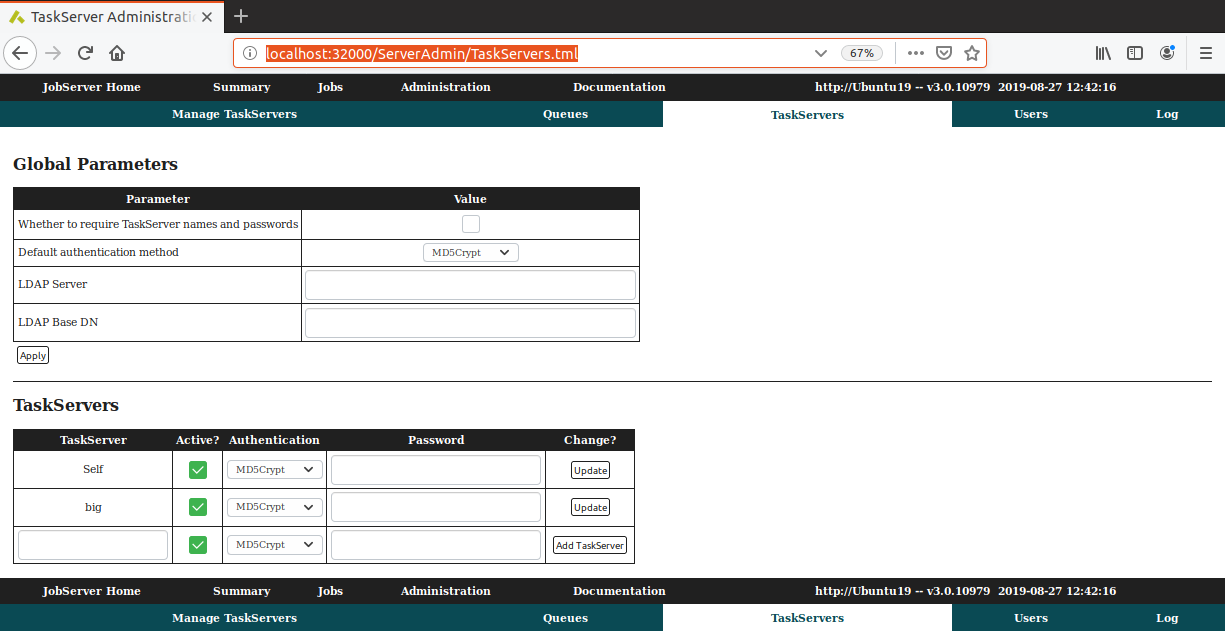
1.13.2. JobServer: TaskServers Administration to Enable Secure Communication
Navigate to the TaskServers page of the JobServer (http://localhost:32000/ServerAdmin/TaskServers.tml).
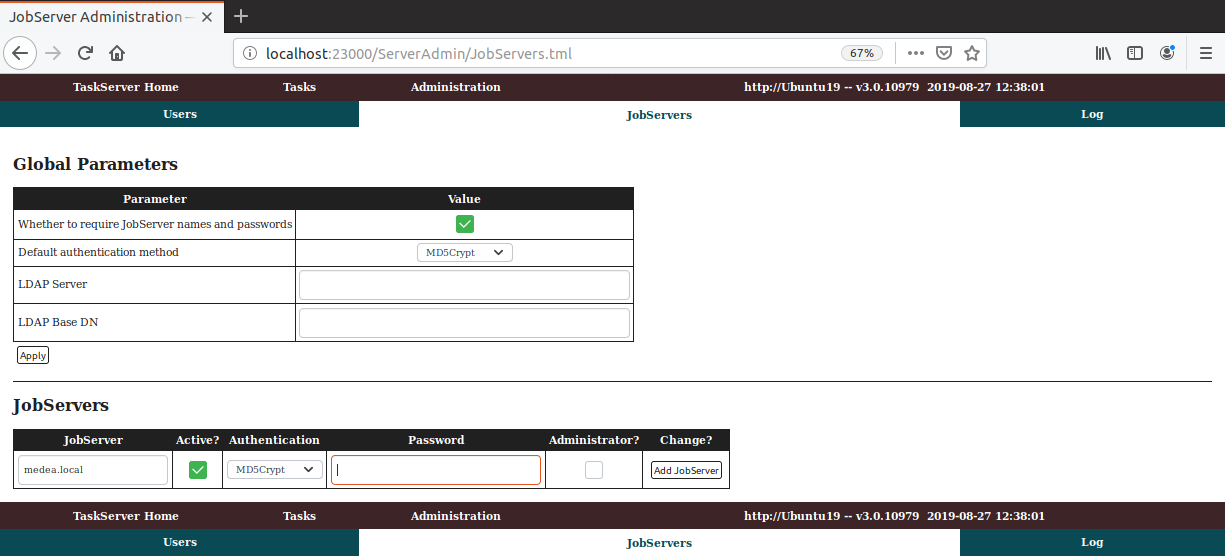
1.13.3. TaskServer: JobServers to Enable Secure Communication
Navigate to the JobServers page of the TaskServer (http://localhost:23000/ServerAdmin/JobServers.tml).
1.13.4. JobServer: TaskServers to Change the Address from http to https
Navigate to the TaskServers page of the JobServer (http://localhost:32000/ServerAdmin/taskserver.tml).
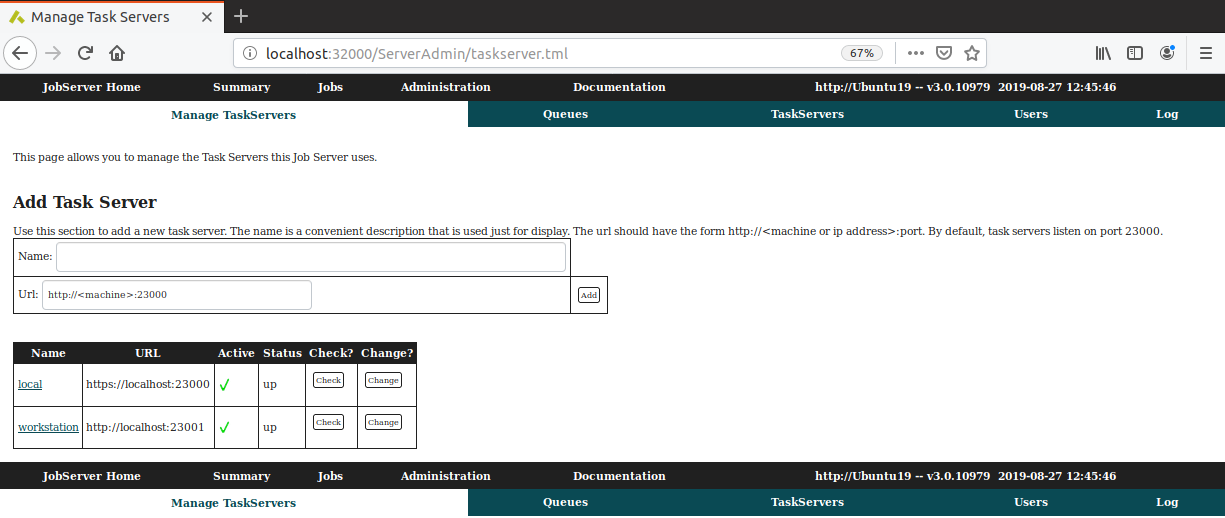
Replace the existing TaskServer by clicking on the Change button and change the address from e.g. http://<machine>:23000 to https://<machine>:23000
If you prefer to keep a reference to the old, non-secure JobServer, add an additional entry (and don’t forget to assign a queue when needed).
Deactivate inaccessible TaskServers to avoid waiting for timeouts each time the JobServer starts or update the status of know TaskServers.
| download: | pdf |
|---|